
How local AI can help with a large photo collection
 By Aayush Goenka8 min read
If you’re anything like me, you probably have years of photos and videos on your phone. Countless memories, and absolutely no time or energy to sort them, clean them up, or find the one you want. Right?
There are screenshots you no longer need and ten shots of the same moment because one of them must be the good one. Which do you keep?
Frontier AI would normally be my first stop, but I didn’t want to hand over my family photos to get help. So I asked a different question: could local AI running on my own Mac do the job?
It could.
I’ve now built a database that captures descriptions, quality measurements, and other information about roughly 12,500 photos and videos. That makes searching through them a breeze, without sending them to a paid frontier AI model.
Along the way, I learned which local models to trust and what makes a photo “good.” I also set up automated workflows that run on a schedule.
Here’s how I built it.
1. What gets recorded about each photo and video
The database holds one row per photo or video. Each row has four types of information:
- Metadata: date and time, location when available, file type, and duration.
- Quality: sharpness, brightness, contrast, and a rating.
- Content: a description, searchable tags, and visible text.
- Identity: faces and pets, linked to names I’ve supplied.
The metadata comes with the file because the phone records it when you take the picture. The other layers combine local AI models, measurements made by code, and names I supply. To choose the models, I tested them first.
2. Describing a picture or a video
I ran a simple test: give each model the same ten public pictures to describe. I then had Claude, a frontier AI model, help assess the descriptions of those public pictures and record how long each local model took. Here is what I measured:
| Model | Time | Result |
|---|---|---|
| Gemma 4 26B-A4B | 35 sec | 13/13; sign right |
| Qwen3.6 35B-A3B | 30 sec | Invented scene |
| Gemma 4 31B | 95 sec | 11/13; sign wrong |
| Qwen3.8 27B | 87 sec | 11/13; rich detail |
Totals for ten pictures on my MacBook Pro (M5 Max, 128 GB). Counts are children found out of 13; the sign was upside down.
I chose Gemma 4 26B-A4B: about 3.5 seconds per picture, with the most accurate descriptions in this small test.
I also tried bigger models with more than 100 billion parameters. On my setup, they were much slower and weren’t doing any better than Gemma 4. So Gemma became my default choice.
Video required some creative thinking.
A video contains many frames per second. At 24 frames per second, a one-minute video contains 1,440 frames. If I described each frame separately at 3.5 seconds per frame, that minute of video would take about 84 minutes to process. With thousands of minutes of video, I needed a more practical approach. Here’s what worked:
- Take one frame per second: 60 frames for a minute of video, each stamped with its time.
- Describe ten frames per call. Thirty or more, and the model invents a story.
- Join the notes in one final call into an account of the whole video.
In a separate test using a six-minute drawn video, the workflow described all 20 events in the correct order in 107 seconds. That’s a useful test result, though it doesn’t establish accuracy on my family videos.
The result is a written description of what happens in each video or picture. I can use those descriptions to search for keywords such as “food,” “sunny,” or “red dress.”
3. What makes a photo high quality?
Sharpness is measurable, but a sharp picture can still look awful. Alongside basic measurements for blur and exposure, I compared three quality models against ratings supplied by people.
| Model | Agrees with people | Same rating |
|---|---|---|
| MUSIQ | 0.947 | 75% |
| LIQE | 0.896 | 65% |
| Q-ReAlign Mini | 0.811 | 52% |
52 public photos. A score of 1.0 means the model orders photos exactly as people did. Ratings are bad, okay, good, or great.
I chose MUSIQ, but its phone-photo results were a useful warning. It had trained on other photos from the same dataset, so it had a home advantage. On 100 public smartphone photos, even after resizing helped, it matched the human rating only 58% of the time. It tended to be too harsh.
Even one step too harsh, the scores were enough to sort photos later.
4. The part the AI couldn’t do: names
Descriptions and quality came from models. The last layer, identity, needed me. Finding photos of my wife and me meant teaching the database who was who.
This took four steps:
- Find: a model spots every face in a photo.
- Fingerprint: a second model turns each face into numbers that can be compared.
- Name: a page groups similar faces so I can name several at once. I named about 120 people across roughly 1,300 faces.
- Match: new faces are compared with those examples. Uncertain ones stay unnamed.
(YuNet and AdaFace do the first two steps, for the curious.) The same screen helps me name the pets it finds, and I can now search by name.
5. The cleanup, and the pictures I kept
With all four layers filled in, the database could start on the cleanup I had been putting off.
I built an AI workflow that runs every night. My iPhone photos sync through iCloud to my Mac. The workflow updates the database with new files and moves screenshots into a review folder. I review them and delete the ones I no longer need, though I plan to automate that step too.
Exact copies have identical file fingerprints, so the system can group them for review too. Here’s one pair it found:
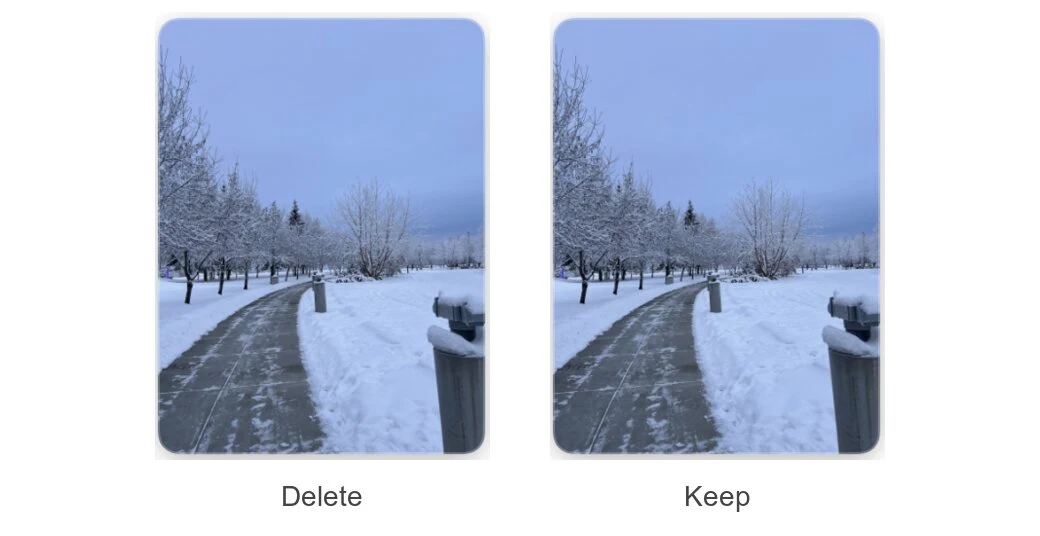
For near copies, the system compares the pictures’ visual patterns to group similar shots. Here are two from a burst of Chandi on her cat tree:

The suggested keeper must be at least 70% as sharp as the sharpest photo in its group. Then the system considers faces and quality. Judgments about closed eyes proved unreliable, which is one reason I review every set before anything goes to the Trash.
Chandi gets an exception: 215 groups kept. A burst of my cat can become an Instagram story. So I keep her near copies. The identity information in the database makes that exception possible.
My key takeaways
- Local AI works. I cataloged ten years of photos on one laptop without uploading any of them to an AI service.
- Frontier AI to build it, local AI to run it. Claude wrote the code for the workflow. It was blocked from reading my photos, the database, and the processing logs. The workflow runs using local models and Python scripts.
- Hardware is the key. The description model alone uses about 27 GB of memory. My Mac handles it today. As the workflows grow, I plan to add more hardware.
Building the database the first time took about ten hours of processing. Now the workflow only needs to process new or changed files, so small updates finish in seconds or minutes.
Could you try this?
For now, this is a custom setup built with Python scripts and local models. Getting it running takes coding, testing, and some manual review, and your hardware will determine which models you can run. If you try, start with one job and a small set of files you can check yourself. Compare mistakes as well as speed before giving a model the whole pile.
Coming up: Chandi gets a production schedule
I’m now using this database for several projects, including Chandi’s Instagram. I wanted high-quality photos and videos where she filled a good portion of the frame, with no human faces. The photo-selection workflow used the database to find 668 candidates that met those rules and had not been posted yet.
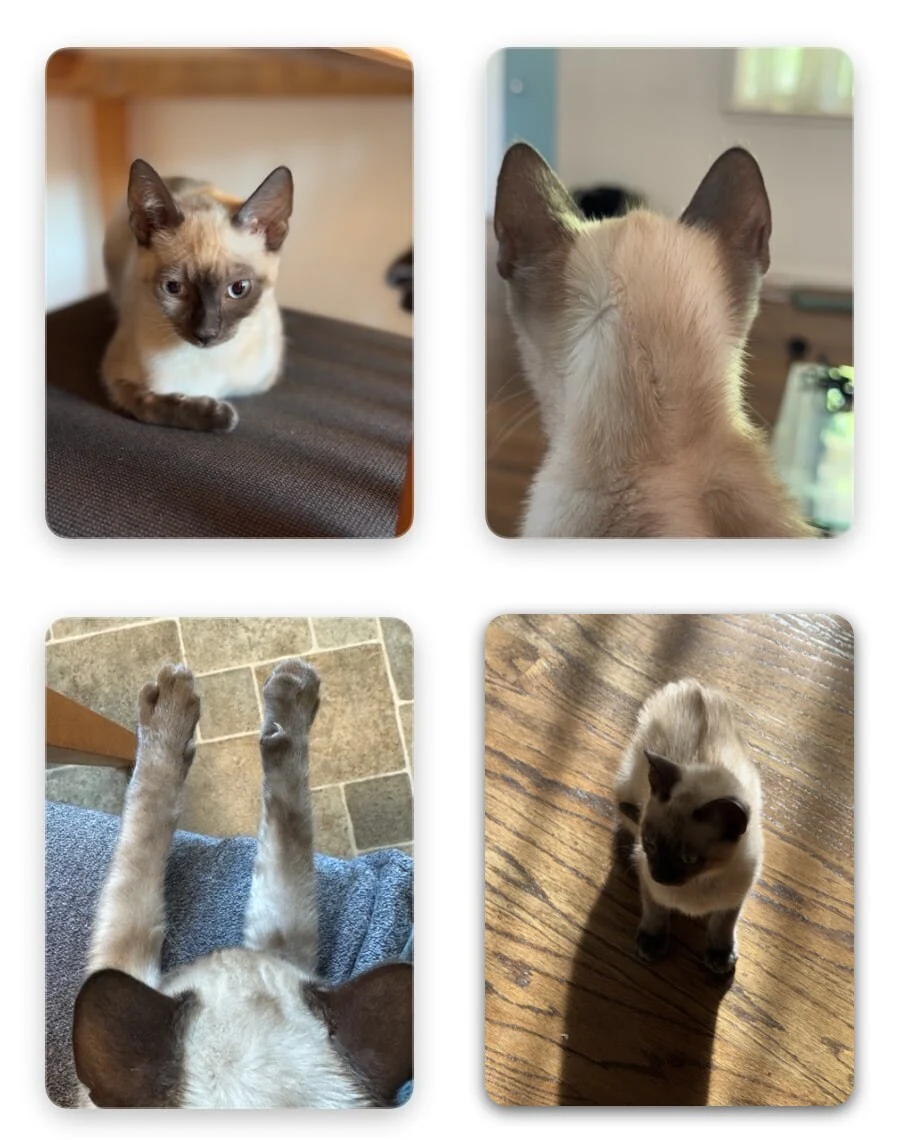
Daily posting already works. I pick the photo, write the caption, approve the crop, and a scheduled job does the rest.
Those bursts I kept have a job ahead too. The next step is turning her photos and videos into scheduled reels with minimal intervention from me.
I’ll share that workflow in a future newsletter, including what still needs my help.
In the meantime, my essays on money and building with AI are on my website.
What would you want to find in your photo library if you could simply ask for it?