
Local LLM Mistakes and the Fixes That Worked
 By Aayush Goenka6 min read
Summary
- AI models on my own Mac made mistakes that looked right: a wrong total under a correct sum, answers that ignored what I meant, the same reply every time.
- Most had plain fixes: ordinary code around the AI and clearer instructions from me, not a bigger model.
- The costliest surprises came from my own tests, which gave convincing numbers until I checked how they were run.
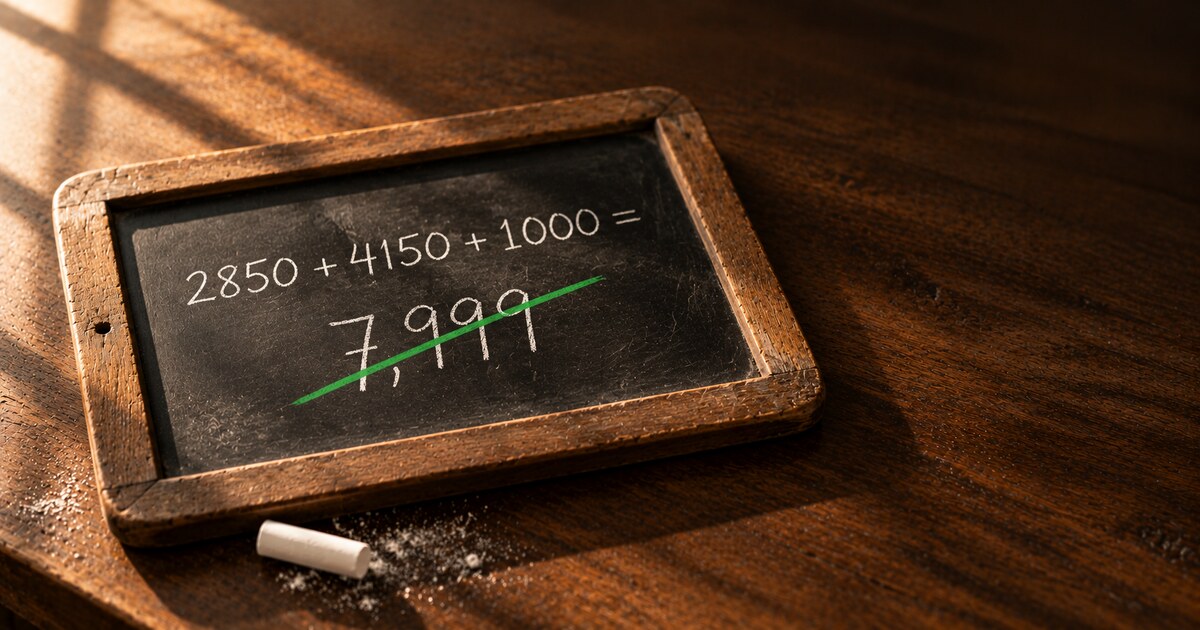
If you’ve asked an AI to work with numbers, you’ve probably trusted an answer because the working looked right. I asked the main model on my Mac to add three amounts. It wrote the sum correctly, 2850 + 4150 + 1000. Then it answered 7,999. The right answer is 8,000.
I use large language models, or LLMs, the kind of AI behind ChatGPT, for research and for my local AI photo library. My constraint: everything had to run locally on my Mac, not on a company’s servers. So I could only pick models that were free, ran locally, and actually ran on my machine. Some mistakes were the models’. Others came from my instructions and my tests.
Short answer: let code do the arithmetic, say exactly what you want changed, and check how a test was run before you trust its numbers. Here are the specifics: the math fix, instructions taken literally, vague feedback, answers that never changed, and tests that misled me.
The right sum and the wrong answer
That model was Google’s free Gemma 41 (the 26B-A4B version). Qwen3.62 (35B-A3B), a free model from Alibaba, slipped too. So did a “dense” Qwen, one that uses all of its billions of learned numbers for every word, so it runs slower:
How the models got the math wrong
The fix was to stop asking the model for the result. Now it writes each calculation as a formula with a label, and puts the label in its answer where the number should go. Ordinary code works out each one and fills in the result. A second check rejects any answer holding a number found in no source and no calculation. With that, Gemma passed all 10 test cases, twice, including a sum, a difference, a percentage change, and a per-month figure. But I built the fix against those cases. On anything new, the check is what catches a slip.
One side effect: told never to write a number it had worked out, the model started hiding numbers it had only copied from a source, too.
Local models take instructions literally
I once gave two models the same instruction: “start each sentence you type with Chandi.” (Chandi is our cat, and this was a test.) The file they wrote was supposed to hold exactly three labeled lines.
Qwen put “Chandi” inside the file, after each label. Gemma kept the file clean and used “Chandi” only in its chat reply. So I reworded the instruction to include sentences written into files. Then Gemma put “Chandi” before each label, because to Gemma, “primary color: beige” counts as a sentence.
The instruction had a gap, and each one filled it differently. Say exactly where a required word goes, and check the result with code.
Single words cause trouble too. Asked whether text in a photo was “upside down or mirrored,” a model labeled an upside-down sign mirrored. Deleting “mirrored” fixed it. Video had its own version: the model needed the time printed on each frame, as I cover in how I made my phone videos searchable.
“Too long” didn’t work. “15% shorter” did.
A model wrote a video summary that was too long. I sent it back with feedback:
| What I sent back | What came back |
|---|---|
| “Too long.” | The same text |
| “Write it about 15% shorter, keeping every point.” | A shorter version, on the first try |
That was one model on one task, but I write feedback that way now.
Why every answer came back the same
For Chandi’s Instagram captions, I want variety, so the caption writer runs at a temperature of 0.8. Temperature controls how much chance goes into each word the model picks. Higher should mean more varied answers. When I tested it, the same request came back word for word the same.
The cause was the server, the program that runs the model and answers requests. I use MLX-VLM,3 free software that runs AI models on a Mac. The version I was running on October 16, 2026 used a seed of 0 whenever a request didn’t send one. The seed is the starting number for that chance, so the same seed meant the same caption. Sending a new random seed with each request fixed it. Others have reported the same default in an open MLX-VLM issue,4 with a proposed fix, so newer versions may behave differently.
Temperature 0 turns the randomness off. But it didn’t make answers repeatable. In one of my benchmarks, the timed tests I use to compare setups, the same request at temperature 0 returned 256 tokens, then 1, then 256. (Tokens are the small chunks a model writes in, often a word or part of one.)
Repeating a request can show a model is unsteady, but not that it’s right. A model can repeat the same mistake every time.
Test the test
Before I trust a comparison between models now, I check three things: what the score is measured against, which model actually answered, and whether both sides got the same conditions. Each came from a test of mine that looked fine and wasn’t.
First, the answer key. I use one model as a judge: it reads some evidence and a claim, and decides whether the evidence backs the claim up. I ran several models on the same 16 cases where the right answer was known; I wrote the right answers for 6 of them myself. The two big rivals were Qwen3.5-122B5 and OpenAI’s free gpt-oss-120b.6
I built the judge on those same cases, so they rank these models on my task without proving the winner is good in general.
Second, which model answered. A test compared Gemma with Qwen on reading faces. The first “Qwen” run was really Gemma: a setting that picks the model was quietly ignored in that mode. Both columns of results looked believable.
Third, equal conditions. When I compared two engines, the programs that run the models, my benchmark produced publishable-looking numbers three times. First, one engine was timed over 40 tokens of output and the other over 256. Then two models sat in memory at once, which made identical runs differ by 75% and picked a false winner. Then came the temperature 0 run above. The fix was a benchmark that checks its own conditions and records nothing when one is off.
If your local model gives you a number, let code work it out. If it ignores what you meant, say exactly where and how much. And before you trust a test, check what it was measured against.
For technical readers, here are more details
All tests ran on a MacBook Pro with an M5 Max chip and 128 GB of memory. Gemma 4 is the 26B-A4B version, a “mixture of experts” model that uses only part of its learned numbers for each word, which is why it’s fast.
| Judge test, 16 cases | Right | Time |
|---|---|---|
| Gemma 4 26B-A4B | 16 | About 100 sec |
| Qwen3.5-122B, 5-bit | 12 | 186 sec |
| Qwen3.5-122B, 4-bit | 10 | 173 sec |
| gpt-oss-120b | 5, mostly wording | 258 sec |
The 5-bit Qwen3.5-122B takes 85 GB, so it spilled out of memory onto the disk, which slows it down. The server is MLX-VLM; I upgraded it to version 0.7.8 on October 15, 2026, and the seed default above was measured the next day.
The calculation check is custom code, not a package: the model writes labeled formulas, code works them out, and any number in the answer that appears in no source and no calculation sends the answer back.
Sources
- 1Hugging Face. Gemma 4 26B-A4B model card
- 2Hugging Face. Qwen3.6-35B-A3B model card
- 3GitHub. MLX-VLM
- 4GitHub. MLX-VLM issue 1818: chat completions are deterministic unless a seed is sent
- 5Hugging Face. Qwen3.5-122B-A10B model card
- 6Hugging Face. gpt-oss-120b model card
All sources checked October 27, 2026.